Chapter 4 — Complete Your First WorkBuddy Task
Quickly Create a WorkBuddy Task
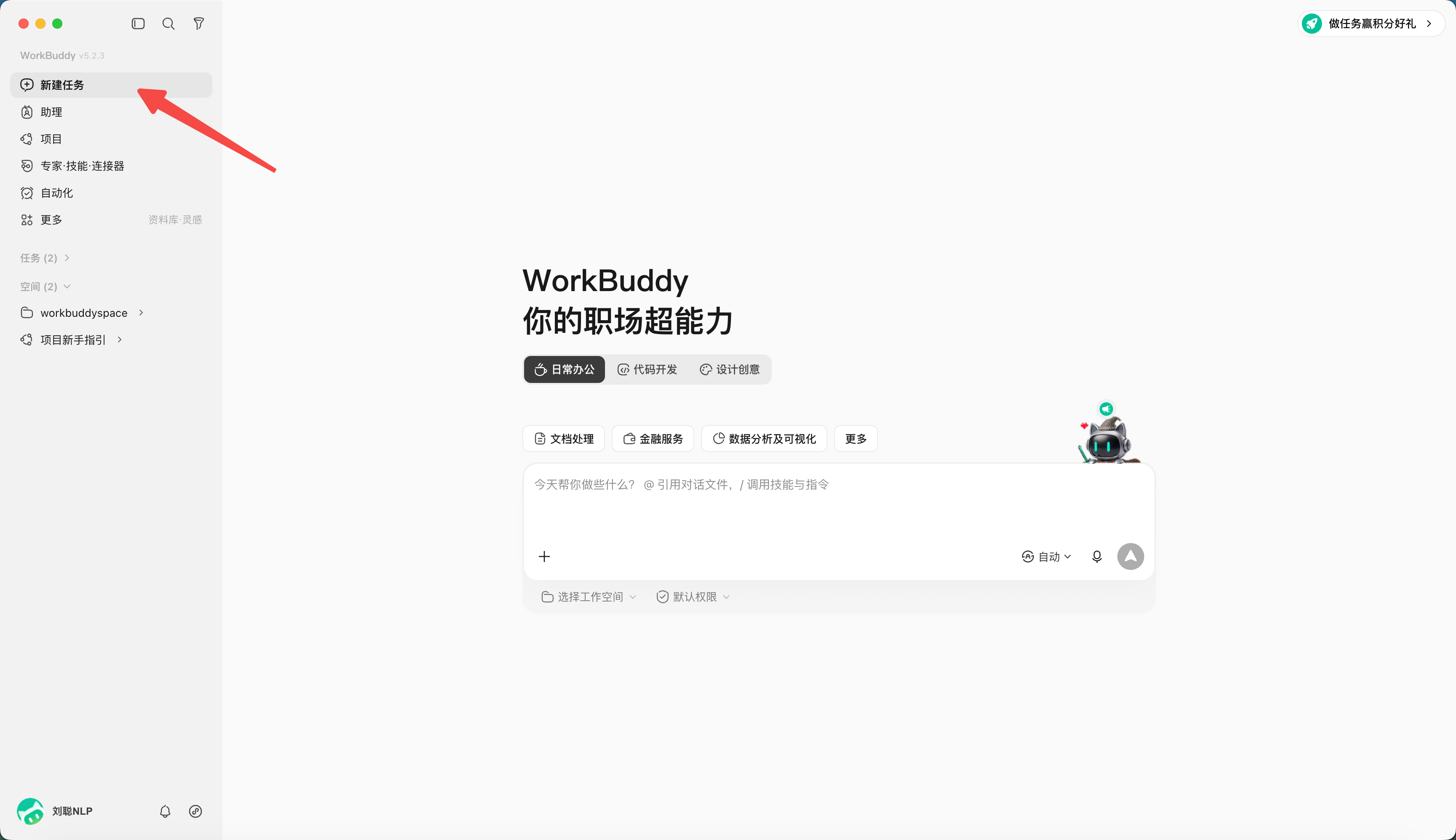
- Click "New Task";
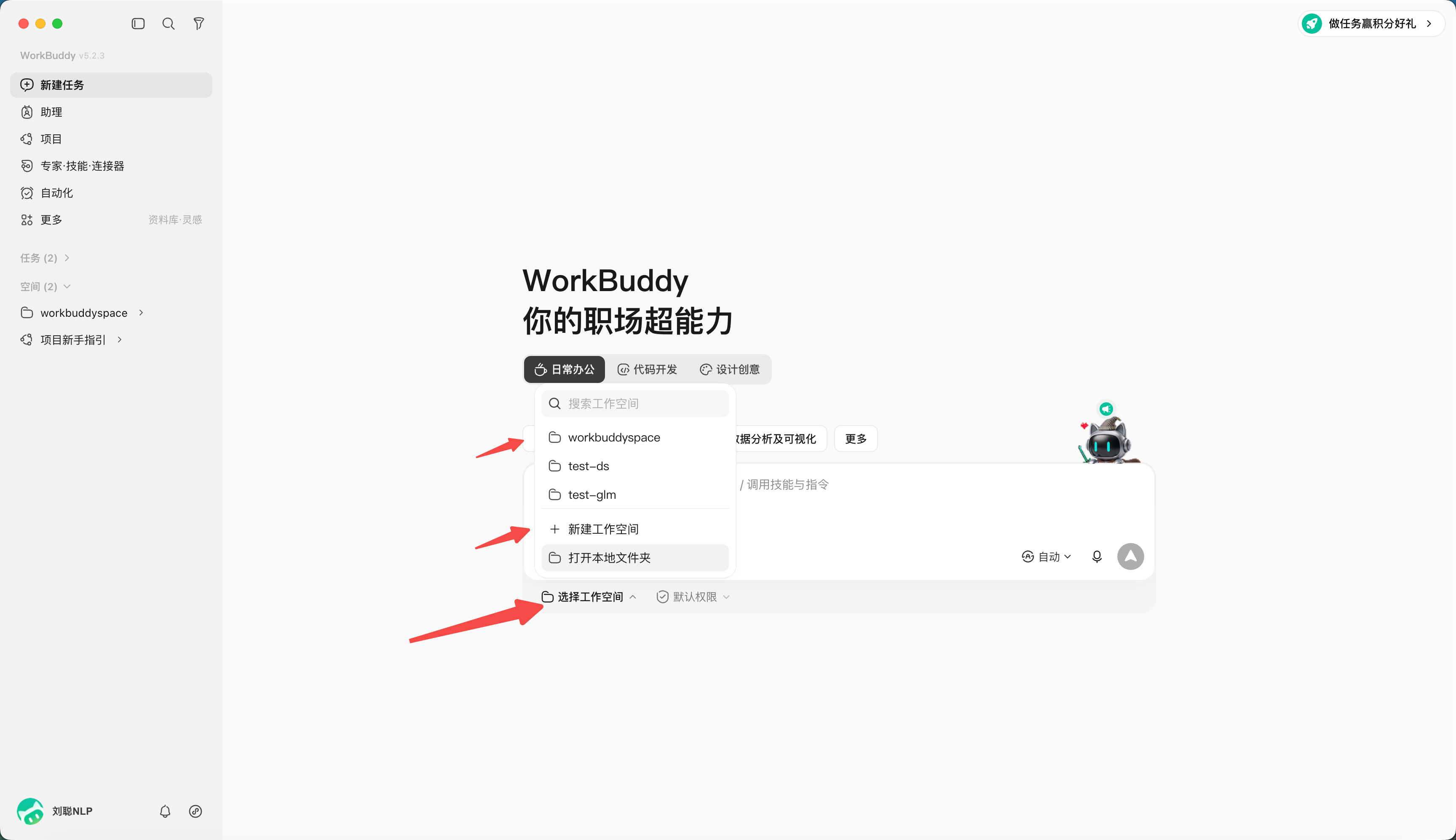
- Select or create an independent working directory;
PS: WorkBuddy uses folder-level authorization and high-risk interception. For your first run, practice in a drill directory and watch the authorization scope. Confirm carefully before handling real business data.
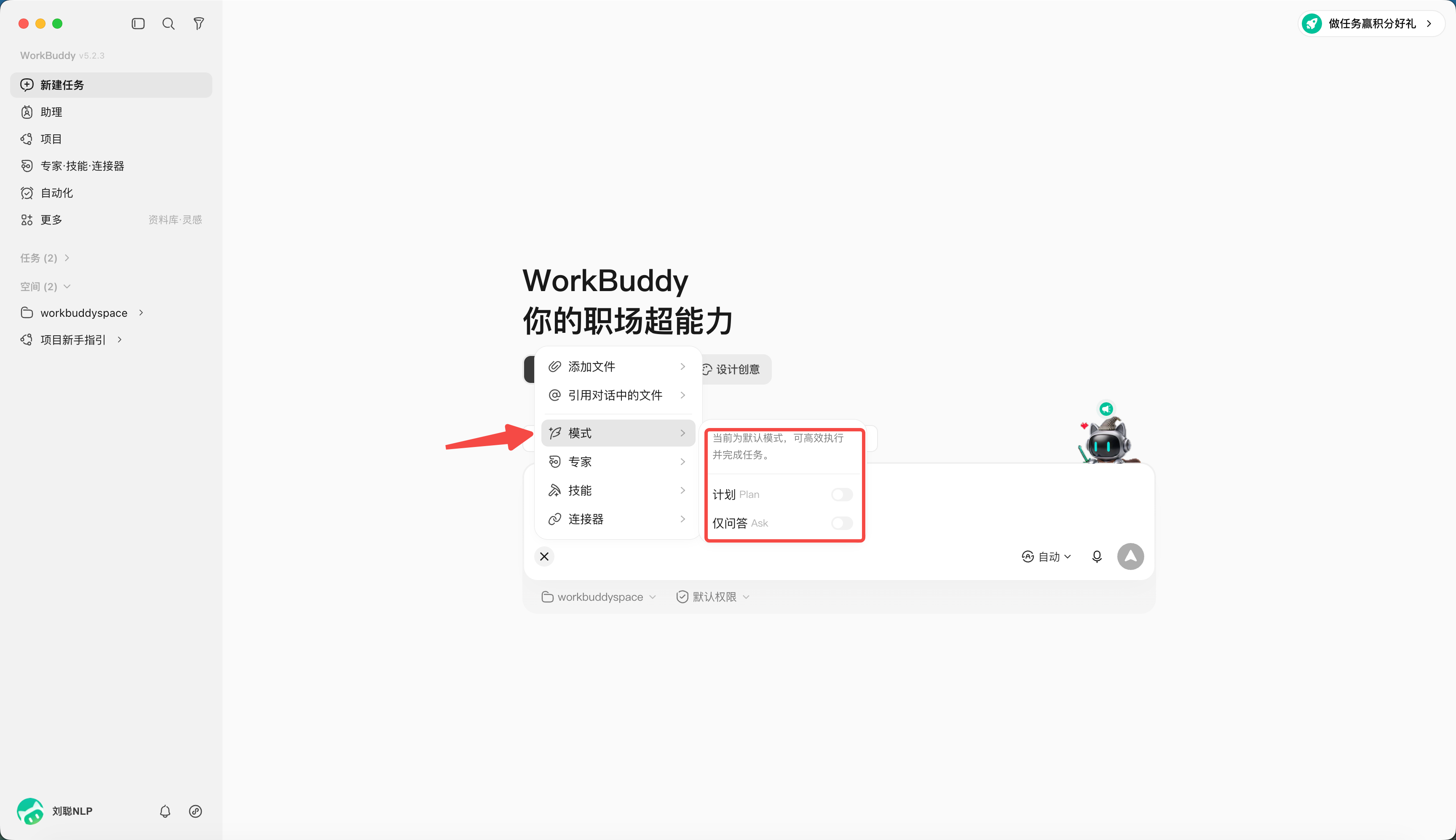
- Decide which mode to use — the default is Craft, and you can also set it to Ask or Plan;
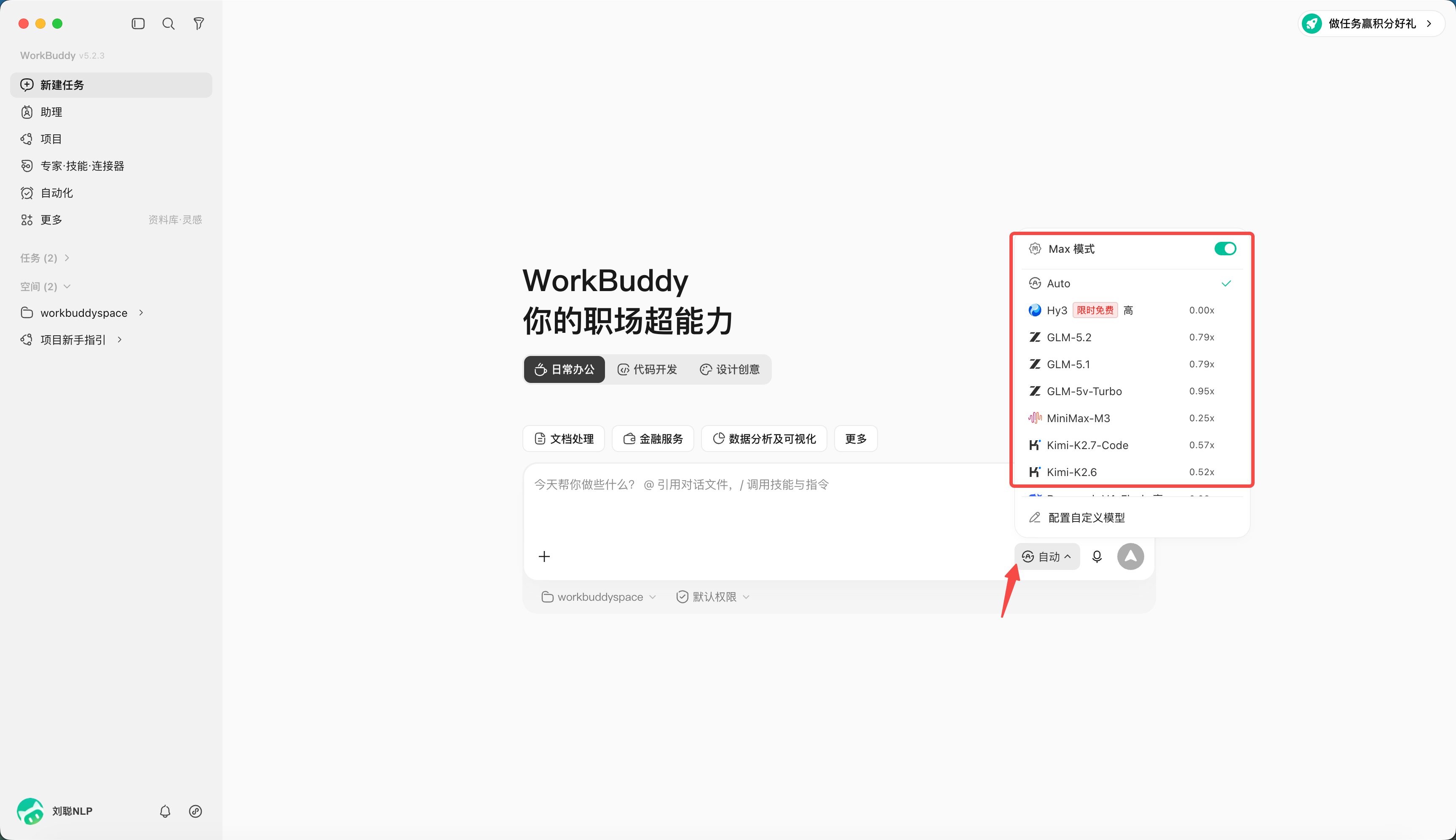
- Pick a model — you can specify the one you want; different models cost different credits.
- Enter the task description: "Analyze the data in 《E-commerce Sales Data.xlsx》 and generate a report PPT."
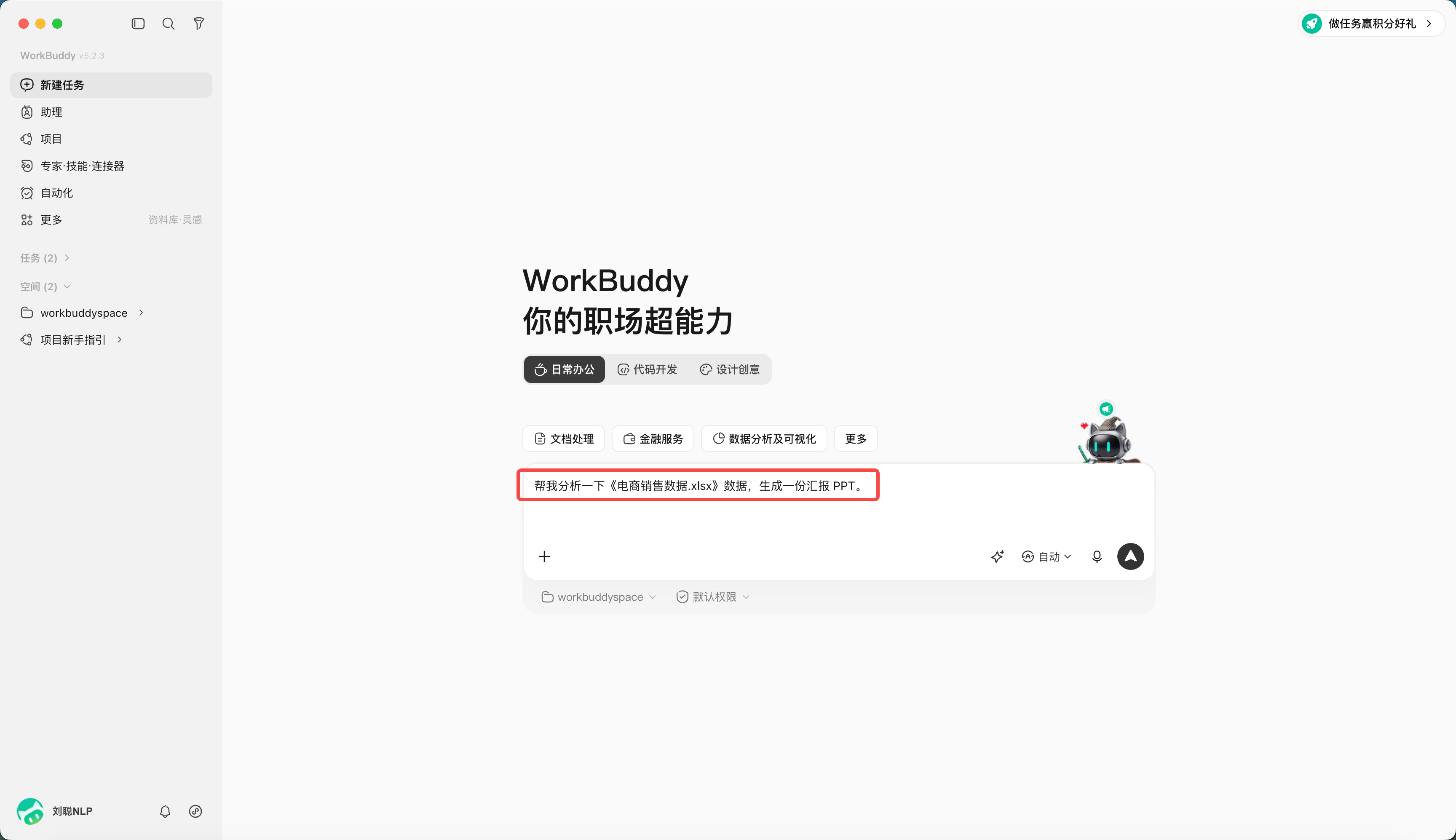
- If needed, specify a Skill, expert, connector or knowledge base — for now, skip it.
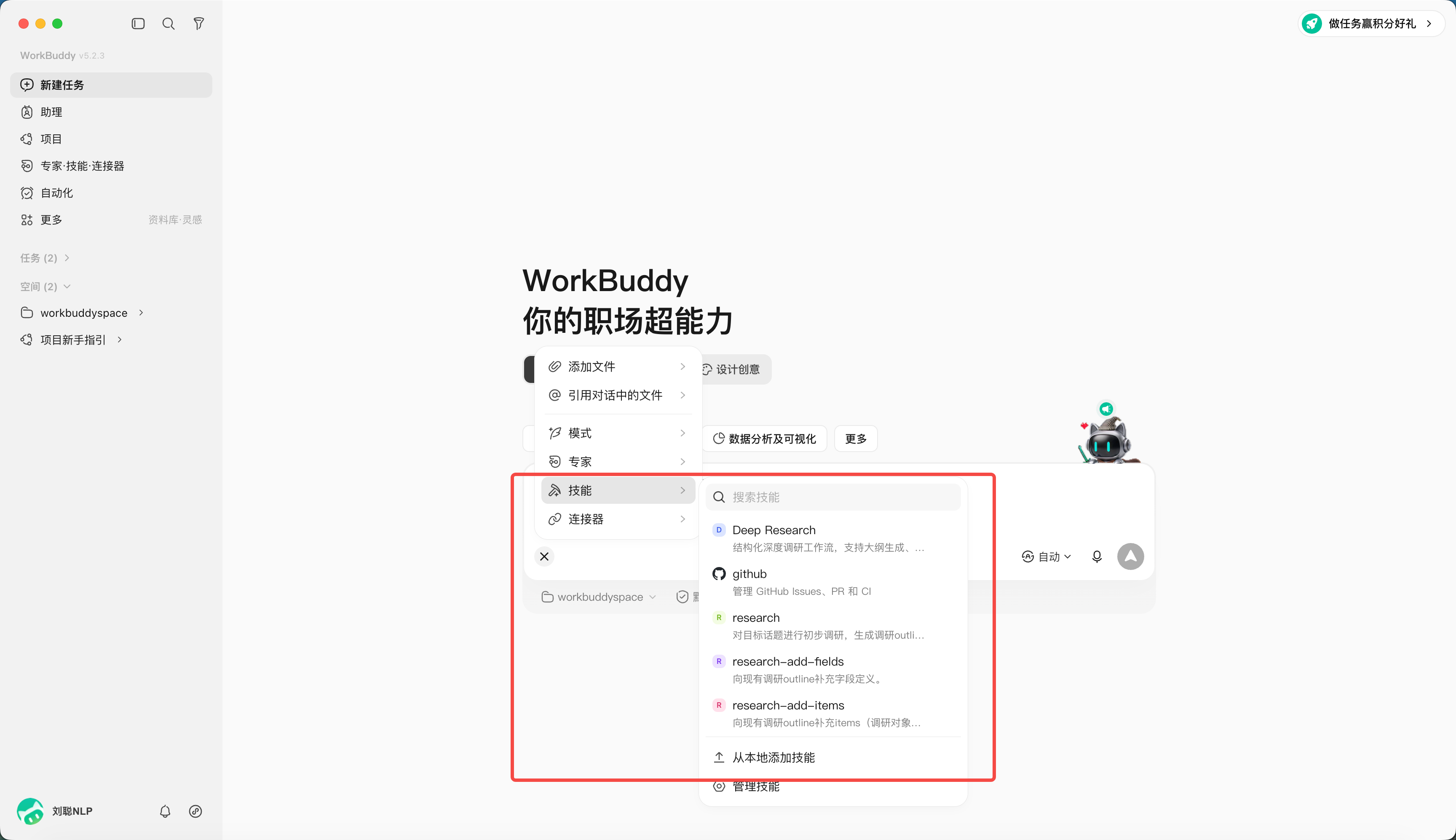
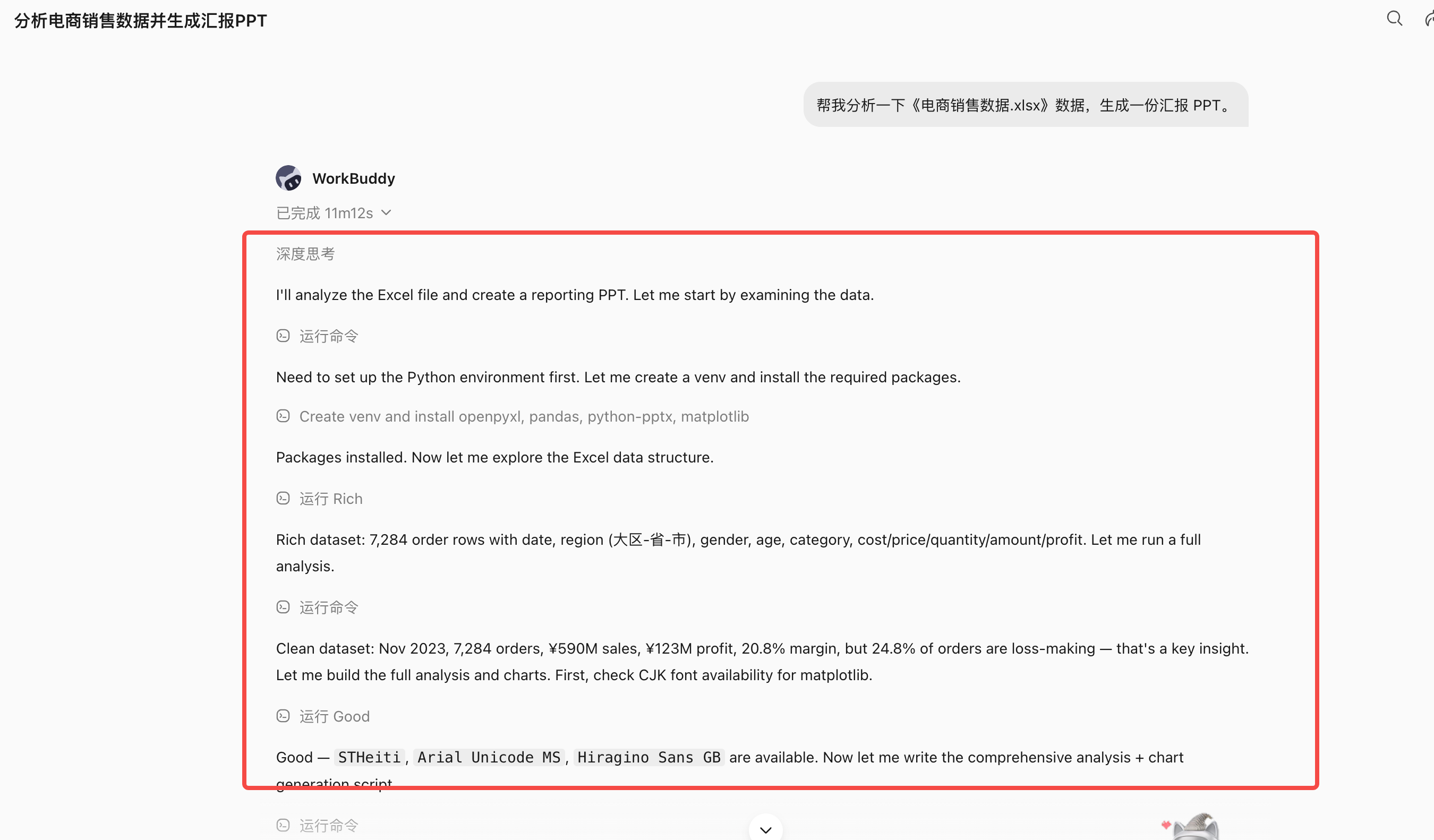
- After sending, watch the plan, tool calls and file changes;
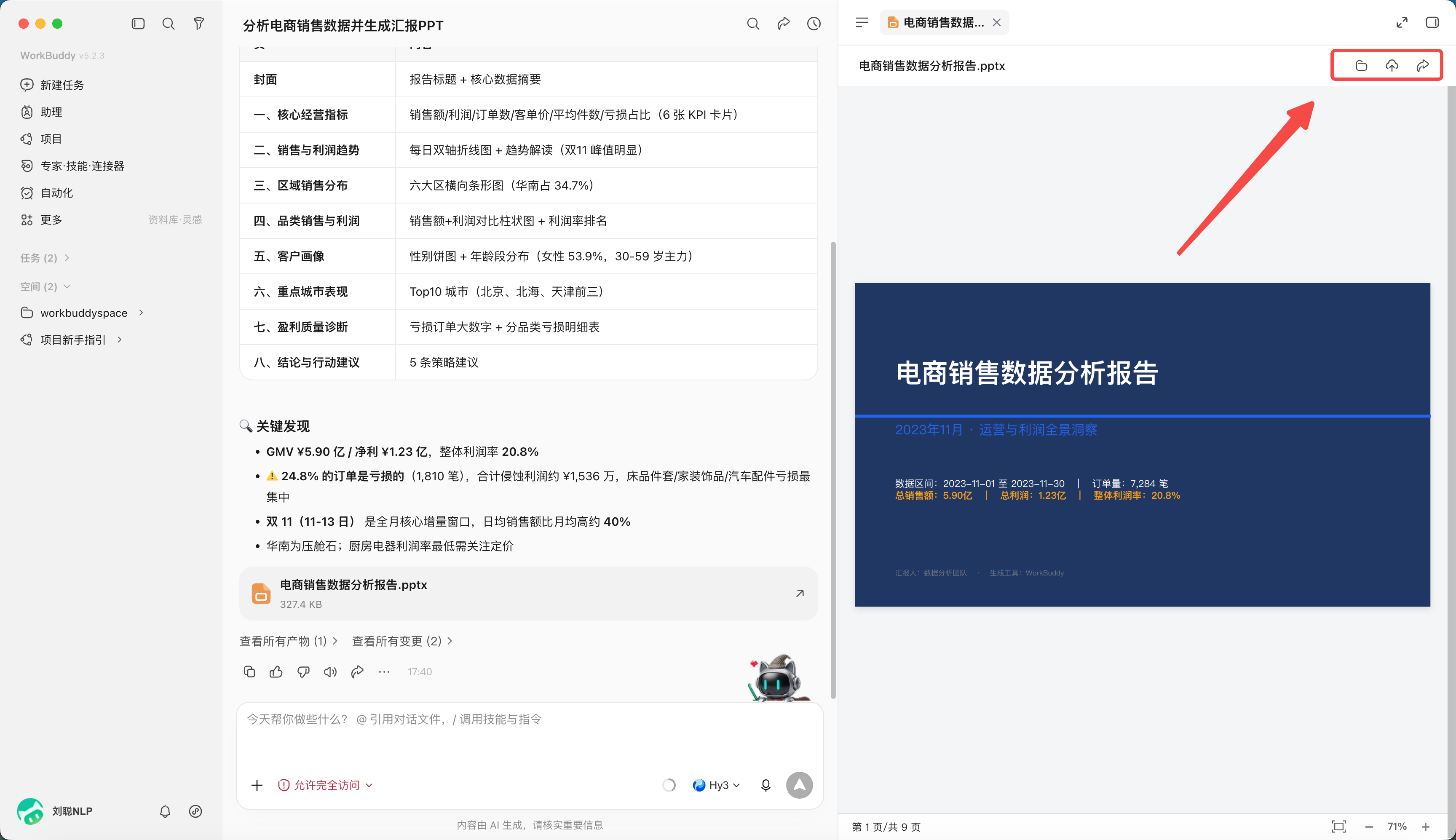
- Preview the deliverable in the results area and review it.
Files can be opened locally, uploaded to the cloud, or shared. Before sharing, confirm the deliverable doesn't contain sensitive or classified info, and choose the sharing scope per company policy.
How to Write a Task Description
| Element | Question to answer |
|---|---|
| Goal | What problem to ultimately solve |
| Input | Which files, directories or links to use |
| Action | Analyze, organize, convert or generate |
| Constraint | What can't change; what standard to follow |
| Output | What file to deliver and where |
| Acceptance | What standard judges it as done |
Starter Task A: Tidy Up Files
text
Goal: Tidy the practice files in the input directory so they're easy to find by type.
Input: Only process the current workspace's input directory.
Action: Identify file types; propose a classification and renaming plan.
Constraint: Don't delete or overwrite originals; on name collision keep both and add a sequence number.
Output: First produce inventory.xlsx and proposed-actions.md.
Acceptance: The inventory file count matches the actual files in input, and every action is traceable.
Don't move any files until I confirm proposed-actions.md.
Starter Task B: Generate Meeting Minutes
text
Turn input/meeting.txt into structured meeting minutes.
Must include: conclusions, action items, owners, due dates, open questions.
For owners or dates that can't be confirmed from the source, write "TBD" — don't fill them in yourself.
Output output/minutes.md and output/action-items.xlsx.
Acceptance: Every conclusion has a basis in the source; action items don't miss owners or time status.
Starter Task C: Word to PPT
text
Turn input/project-report.docx into an internal report PPT of no more than 10 slides.
Audience: department lead; presentation length: 8 minutes.
Keep facts and numbers from the source — don't add unverified data.
Structure: background, status, problems, plan, schedule, decisions needed.
Use the colors and fonts in reference/brand-guide.pdf.
Output output/project-report_v1.pptx, plus a per-slide content list.
Acceptance: Each slide has only one core point, numbers match the source, and body text is readable when projected.